StarGazer Terrestrial
Stars, Planets & Satellites
Point your phone up.
Know what you're looking at.
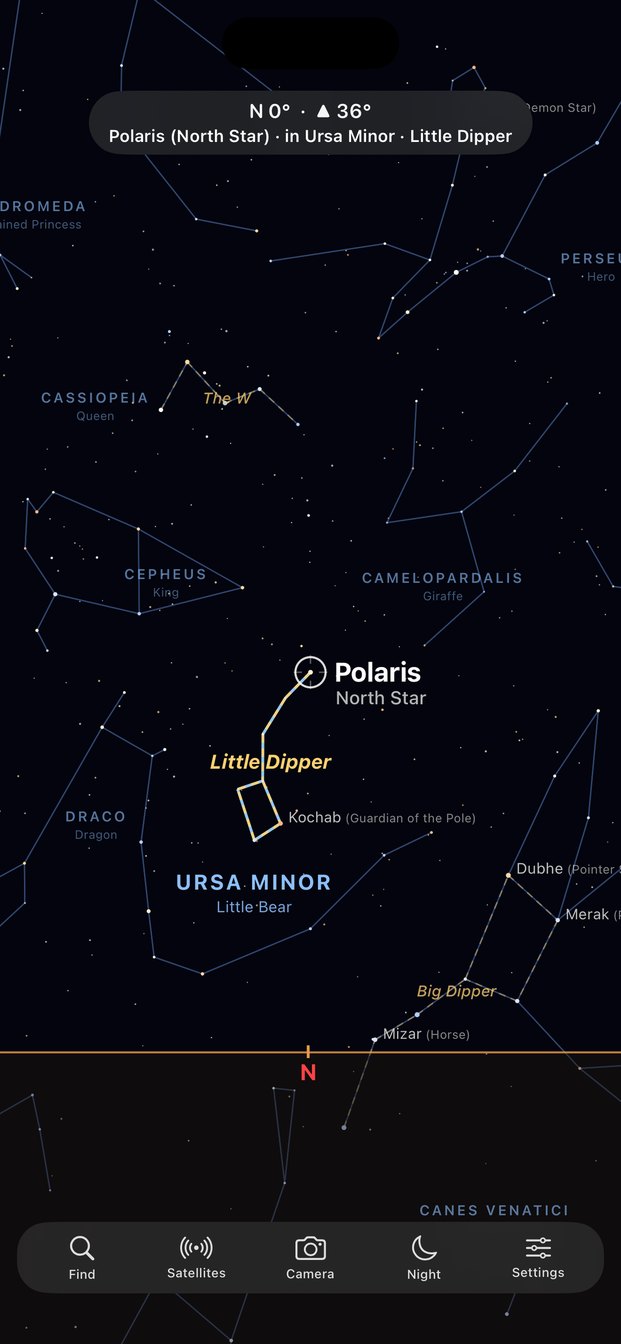
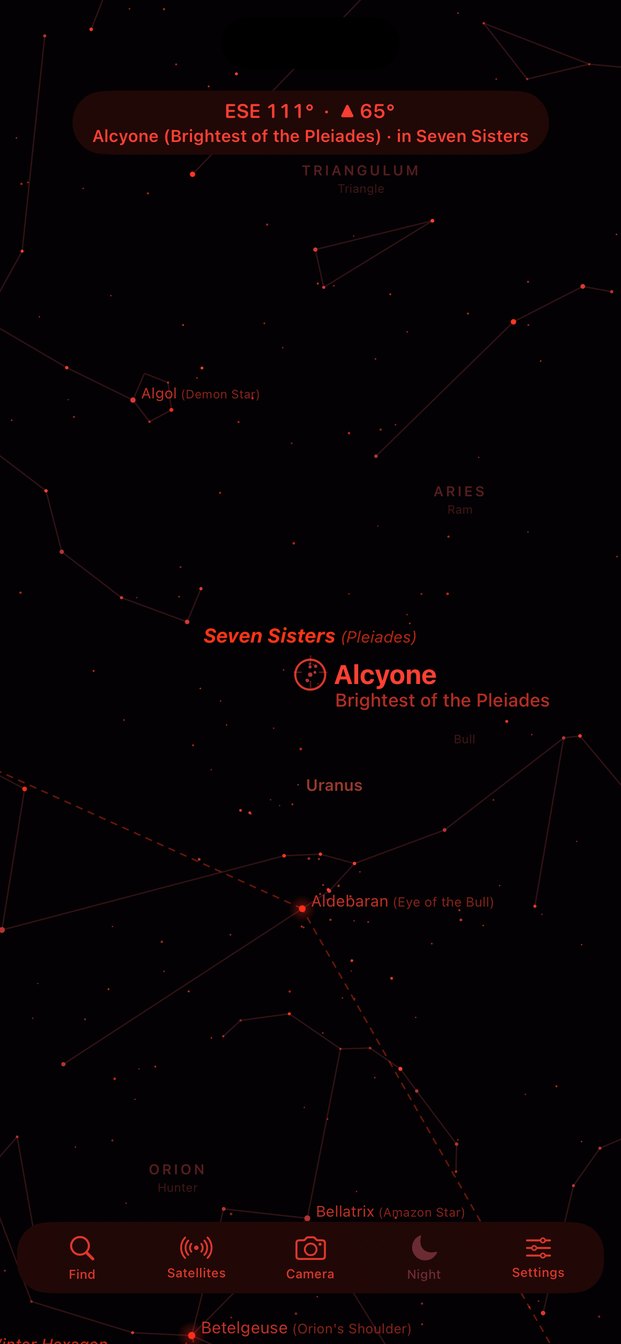
StarGazer Terrestrial turns your iPhone into a live window on the sky. Hold it up and the stars, constellations, planets, the Moon, and satellites appear right where they really are. Search for anything, even "Big Dipper" or "North Star", and StarGazer Terrestrial tells you exactly which way to turn and tilt until it's centered. Point it at the ground to see the sky on the other side of the Earth.
What Sets StarGazer Terrestrial Apart
Search, then get turn-by-turn directions
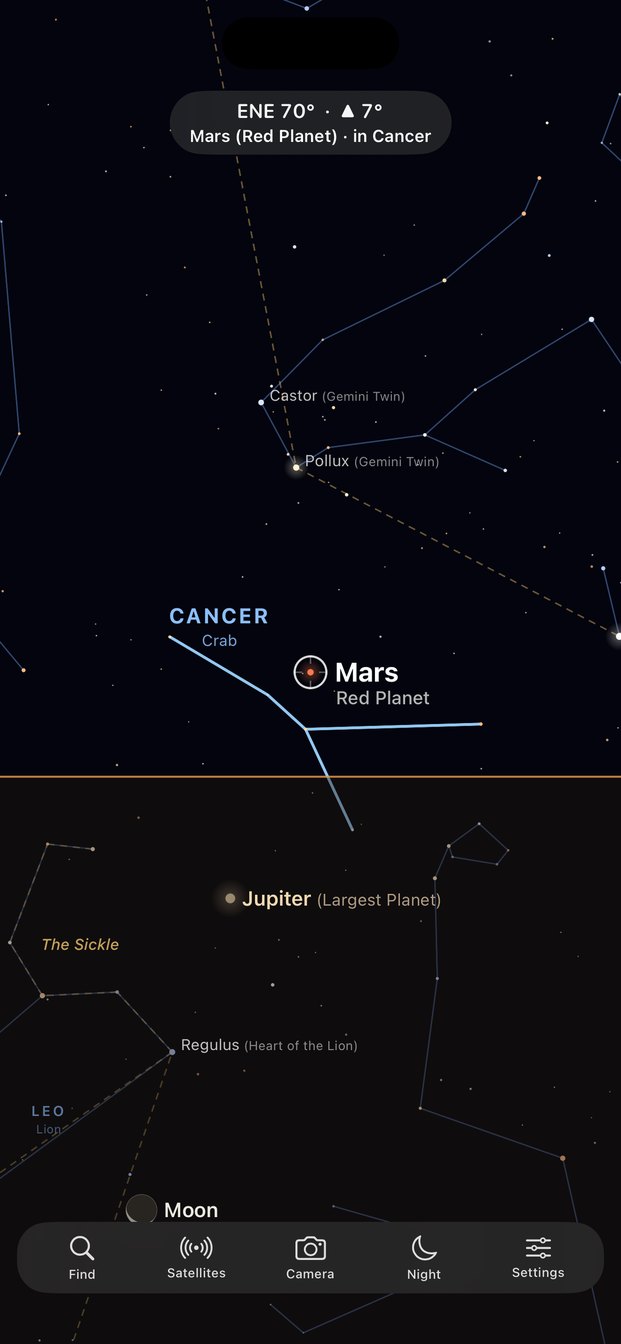
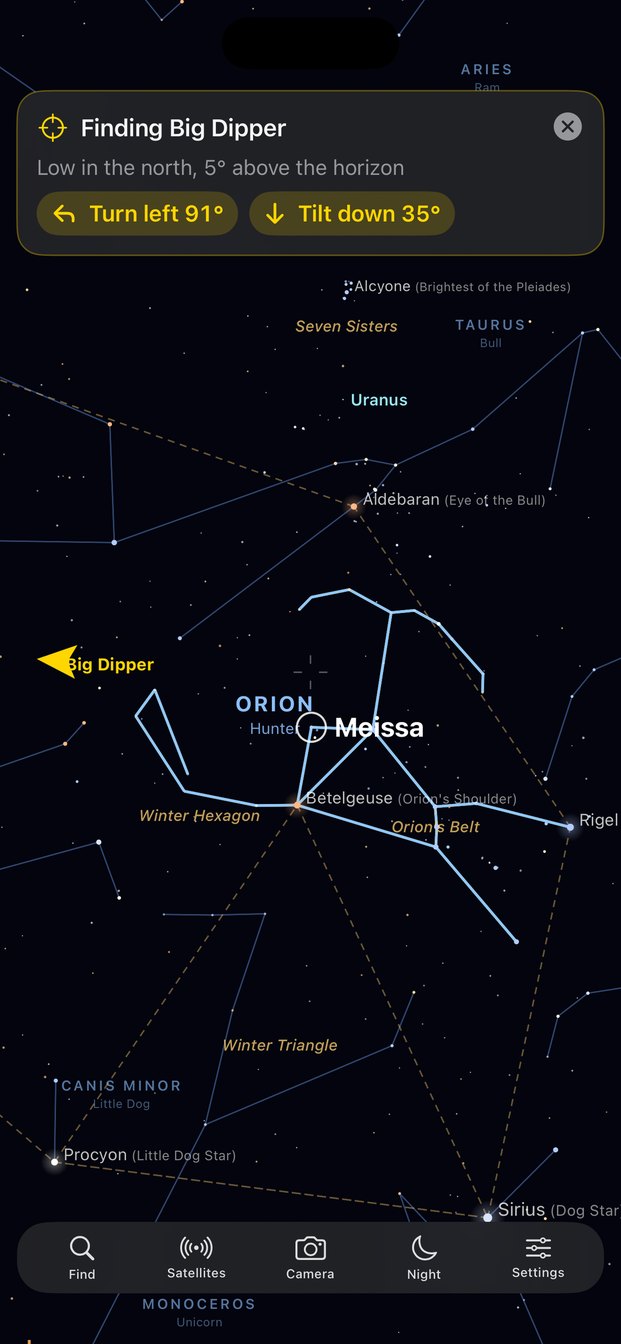
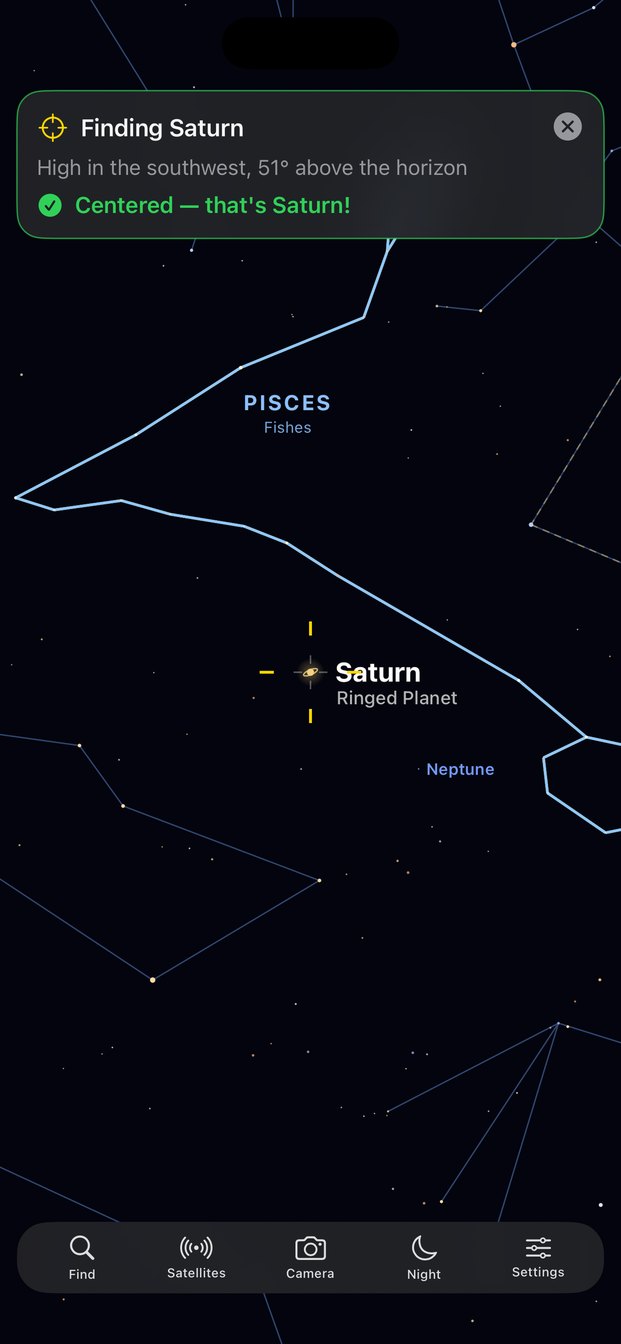
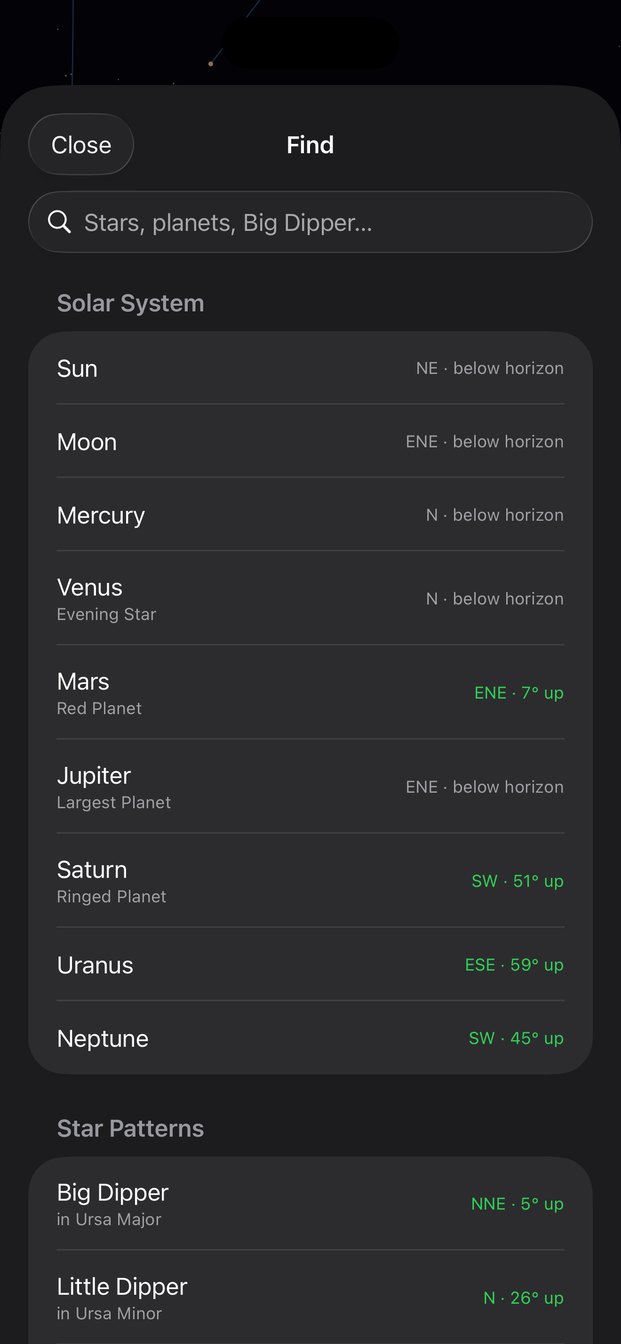
Search for any star, constellation, planet, star pattern, or satellite, by its official name or the name you actually know ("Big Dipper", "North Star", "Red Planet"). StarGazer Terrestrial doesn't just point an arrow. It tells you in plain words where the object is ("Low in the northeast, 7° above the horizon") and exactly how far to move ("Turn left 74°", "Tilt up 8°"), updating as you go. When it's in the middle of the screen, the banner turns green and your phone gives a short buzz: "Centered — that's Jupiter!"
Look through the Earth
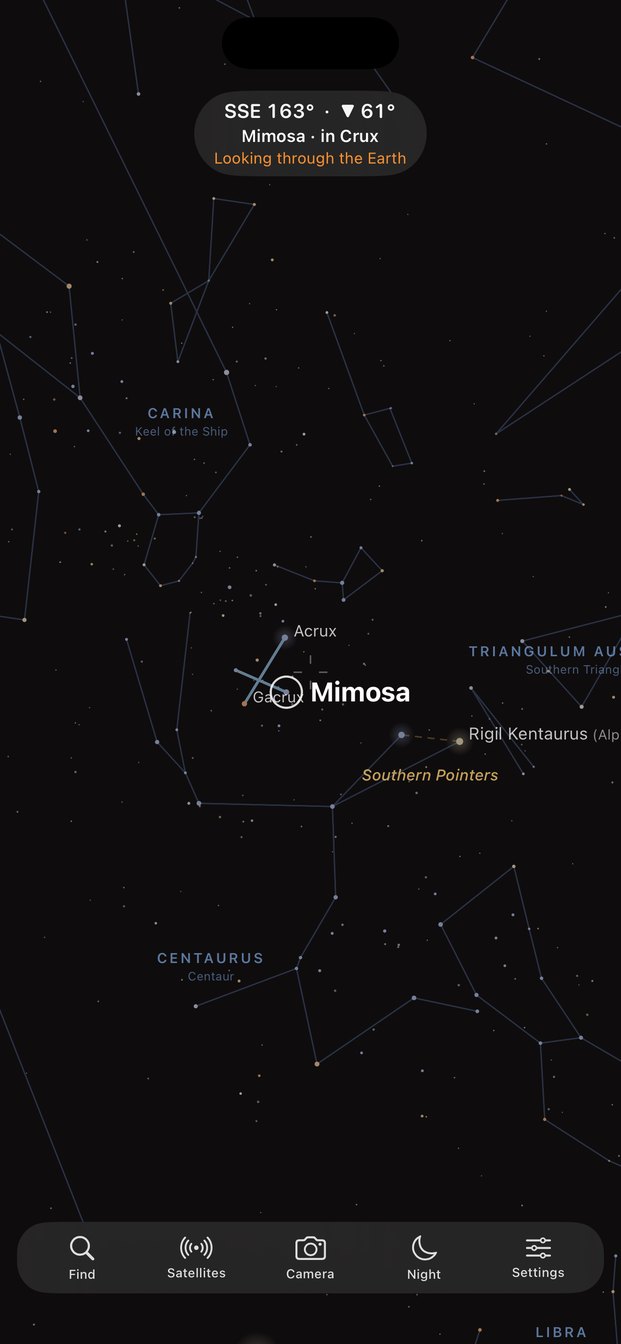
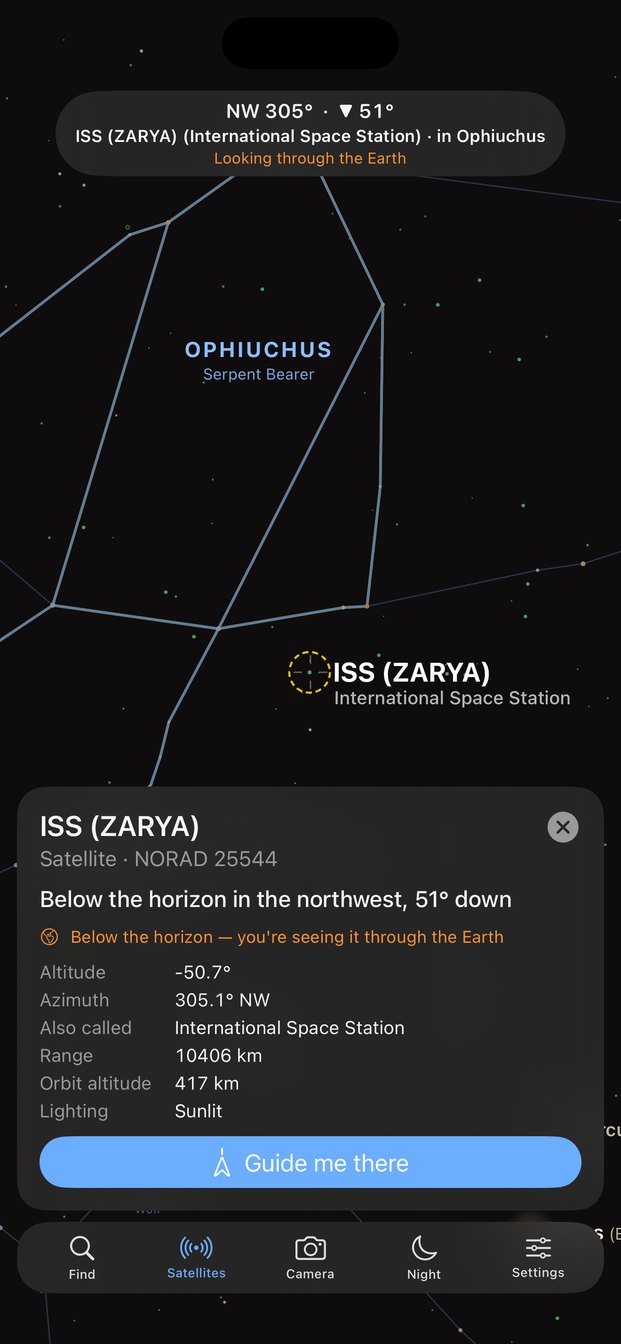
Point your phone at the ground and the sky keeps going: StarGazer Terrestrial shows the stars, planets, and satellites on the far side of the planet under a see-through ground layer, with an orange horizon line. Everything below the horizon is labeled as such, in the readout, in search, and in each object's details, so you can see what will rise later tonight and where. You can even search for an object that hasn't risen yet and be guided straight to it.
A camera view that actually lines up
Turn on Camera and the live view from your iPhone's camera appears behind the sky. StarGazer Terrestrial draws the stars at the same field of view as your camera's lens, so constellation lines and labels sit on the real stars in the picture instead of floating at an approximate scale. It's ideal at twilight, when only the brightest stars and planets are out and you want to know which is which.
Also Inside
Just point and look
Using your location, compass, and motion sensors, StarGazer Terrestrial shows exactly the patch of sky your phone is aimed at, updating smoothly as you move.
What's in the middle?
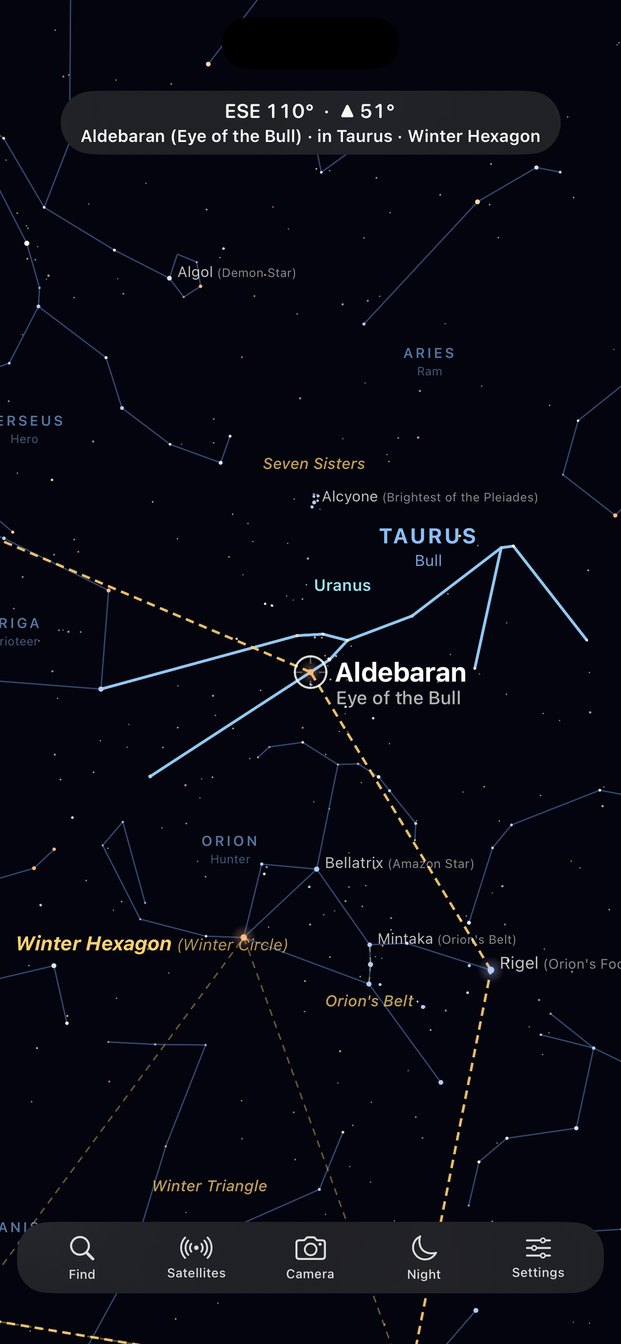
Whatever you center on screen gets highlighted with a large name, its nickname, and the constellation and star pattern it belongs to. No tapping needed.
Names you actually know
StarGazer Terrestrial outlines the Big Dipper, Little Dipper, Orion's Belt, the Summer Triangle, and other famous patterns, and adds everyday names like the North Star, the Great Bear, and the Red Planet.
All 88 constellations
More than 5,000 stars, sized by how bright they really appear and connected into their constellation figures, with names for the brightest ones.
Planets & the Moon
The Sun, Moon, and all seven other planets, calculated for your exact time and place. The Moon even shows its current phase.
Satellites on demand
Turn on satellites to see the International Space Station, China's Tiangong station, the brightest satellites, and optionally Starlink. Sunlit and shadowed satellites are drawn differently.
Night-vision red mode
One tap turns the whole display red to protect your dark-adapted eyes.
Works offline
Stars, constellations, planets, and the Moon are all calculated on your iPhone, so StarGazer Terrestrial works at dark-sky sites with no cell service.
Private by Design
No account, no ads, no analytics. Your location and camera are used only on your device and are never sent anywhere. The only thing StarGazer Terrestrial downloads is public satellite orbit data, and only if you turn satellites on. See our Copyright & Privacy page.
Built For
Backyard stargazers · campers and hikers · parents answering "what's that bright star?" · students learning the constellations · anyone who wants to catch the ISS passing overhead.
Get StarGazer Terrestrial
Hold up your phone. The whole sky, named.
📲 Download on the App Store